
Product feed checks
Check every variant against ChatGPT's product feed format, see what blocks an item, and download the feed file.
What it does
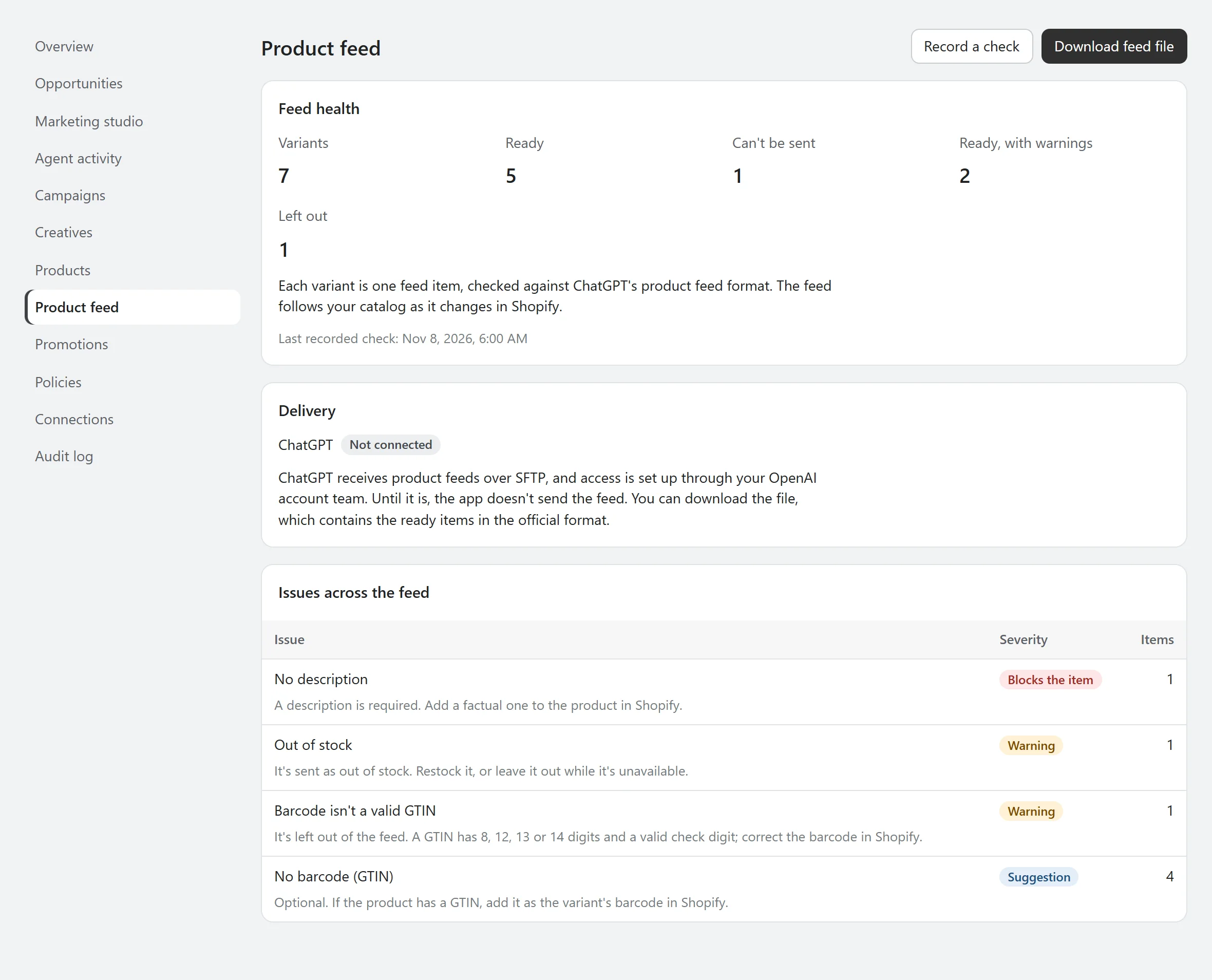
The Product feed page builds one feed row per variant from your synced catalog, following ChatGPT's official product feed format. Each item is checked and marked as blocked, a warning, or for information, and you can leave products out.
Why it matters
A product with no description, image or store page can't be shown in a feed-based ad. Finding that before you send a feed saves a rejected upload and lost reach.
How it works
- Blocked: no Online Store page, description, brand, store name or image, or a zero price.
- Warnings: a title over 150 characters, out of stock, or an invalid barcode, which is dropped.
- Checks run every day and are kept as history. Health on Connections reports items that can't be sent.
- The items that are ready download as a jsonl.gz file in the official format.
Where it stops
- The app doesn't send the feed. ChatGPT receives feeds over SFTP, with access set up through your OpenAI account team.
- One feed for one market. Feeds for several markets are postponed.
- Built from the official specification. No feed has been sent to ChatGPT yet.
See what it would do before it does anything.
AgenAds isn't on the Shopify App Store yet. The demo runs the app's real discount, policy and copy checks, so you can test the logic today.