
How it works
Eight stages from install to knowing what sold. Each one shows what you do, what the app does, and what you get.
Stage 1
Connect your store
- You
- Install from Shopify and approve access to products, inventory and orders.
- The app
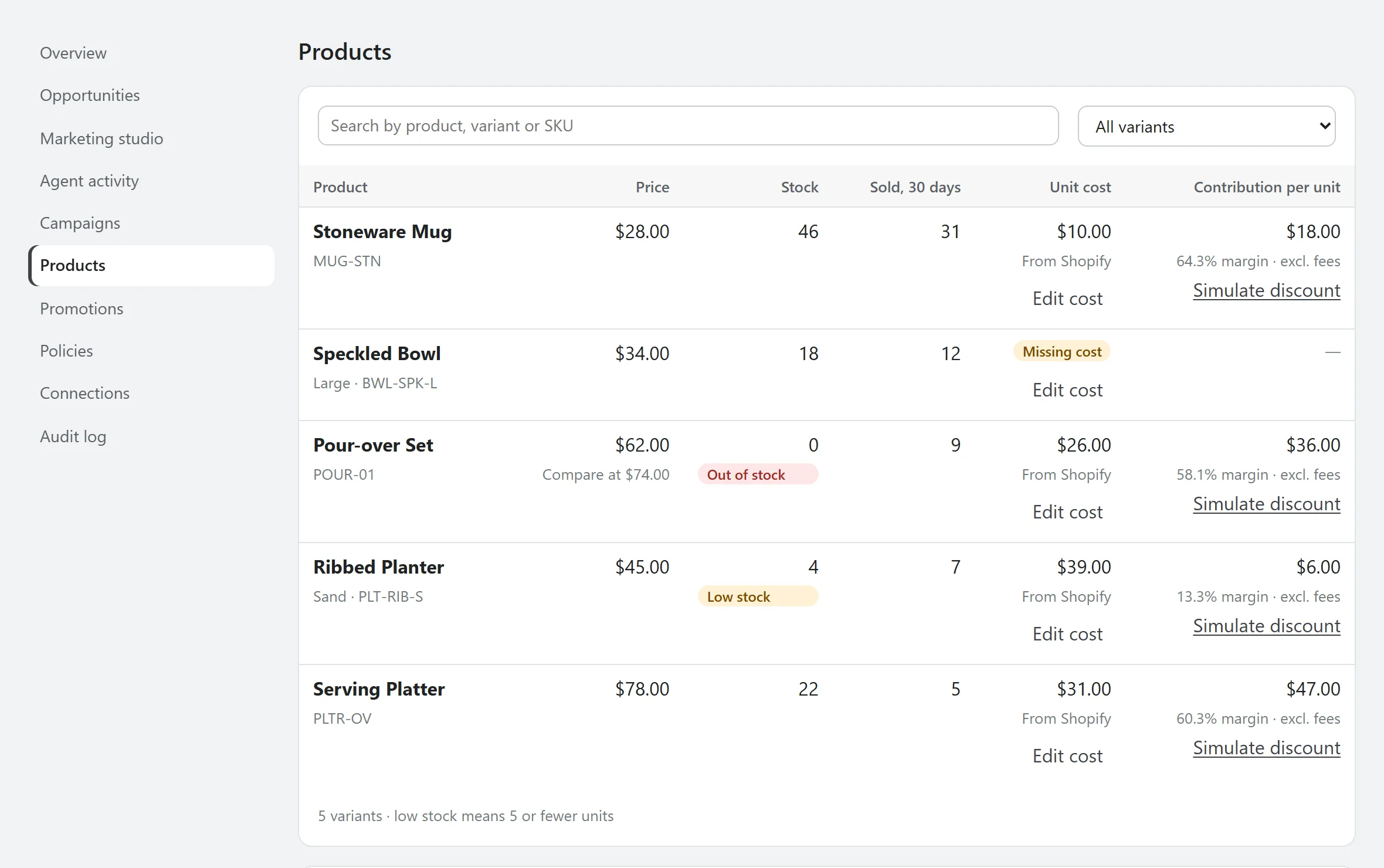
- Syncs your catalog, stock, unit costs and sales quantities. It reads no customer fields.
- Result
- A Products page showing the contribution and margin of each variant, and what's missing.
Stage 2
Fill in what Shopify doesn't know
- You
- Add missing unit costs and your fees. Costs can be typed in or imported from a CSV.
- The app
- Uses your entry over Shopify's cost, and says which source each number came from.
- Result
- Margins you can trust. Where a cost is missing, the app says so rather than guessing.
Stage 3
Connect ChatGPT Ads, or use sample data
- You
- Paste an API key from Ads Manager, and add conversion tracking if you want sales in its reports. To look around first, turn on sample data.
- The app
- Stores the key encrypted and reads your account, campaigns and daily results. Sample data is labelled everywhere it appears.
- Result
- Campaigns and results next to your store's numbers.
Stage 4
Set your limits
- You
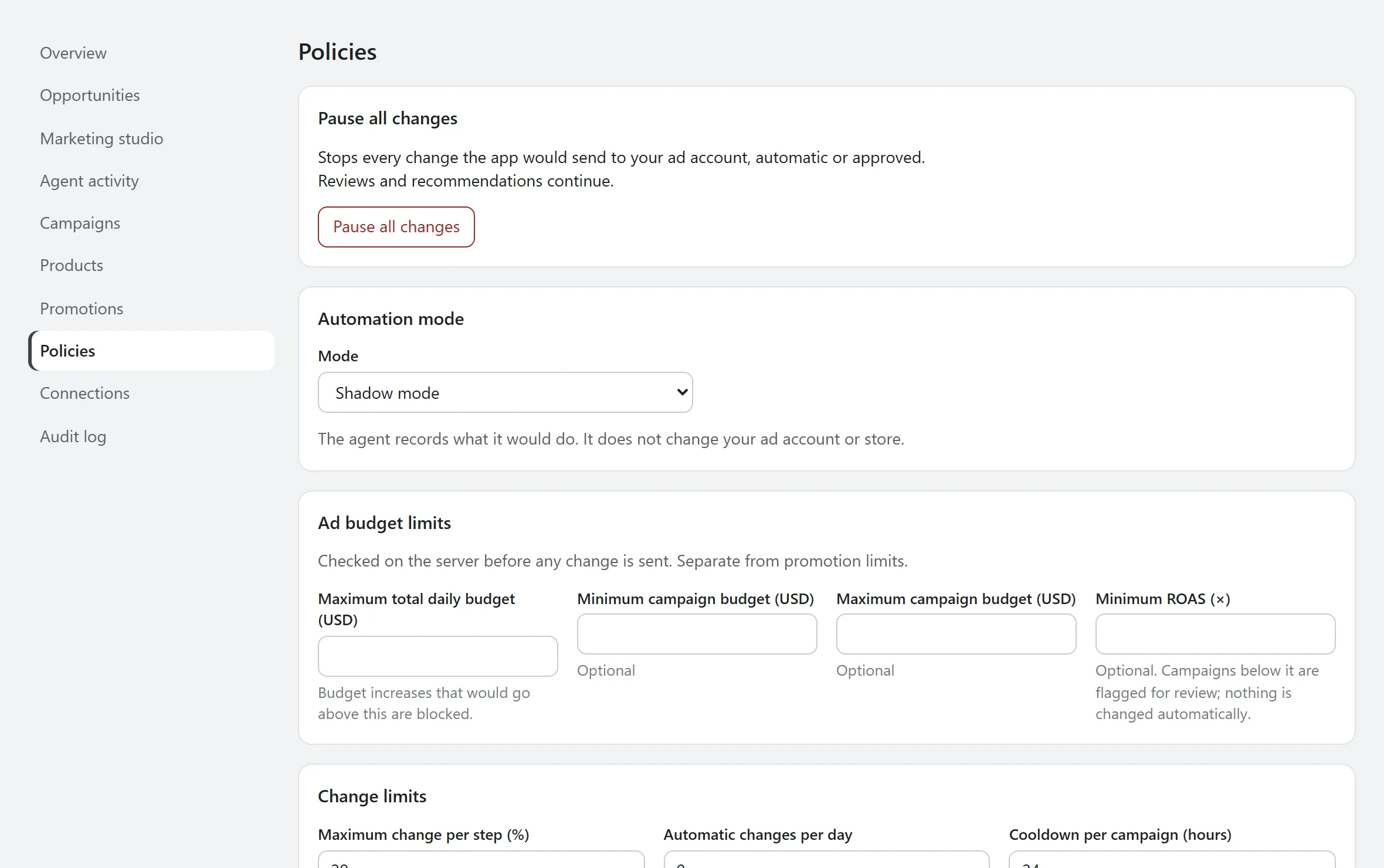
- Set a total daily budget, campaign minimums and maximums, promotion limits and any protected campaigns.
- The app
- Starts with shadow mode, a 20% maximum change per step, a 24-hour cooldown and a 15% maximum discount.
- Result
- A clear boundary that's checked on the server before any change is sent.
Stage 5
Read the first reviews
- You
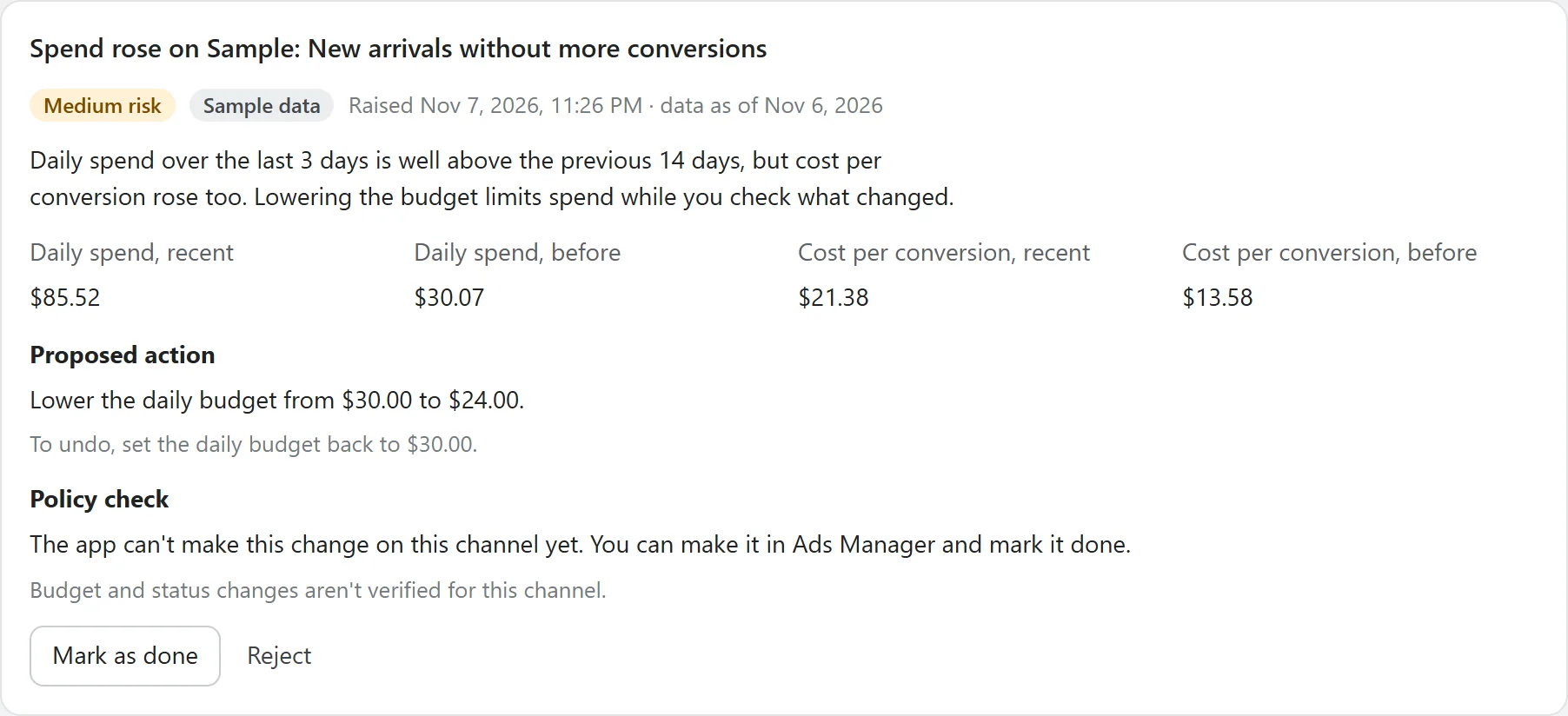
- Open Agent activity and read what it found. Approve, reject or mark items done.
- The app
- Reviews spend, stock, costs and margins every day. In shadow mode it records what it would do and sends nothing.
- Result
- A record of what the agent would have done, so you can judge it before trusting it.
Stage 6
Plan what's next
- You
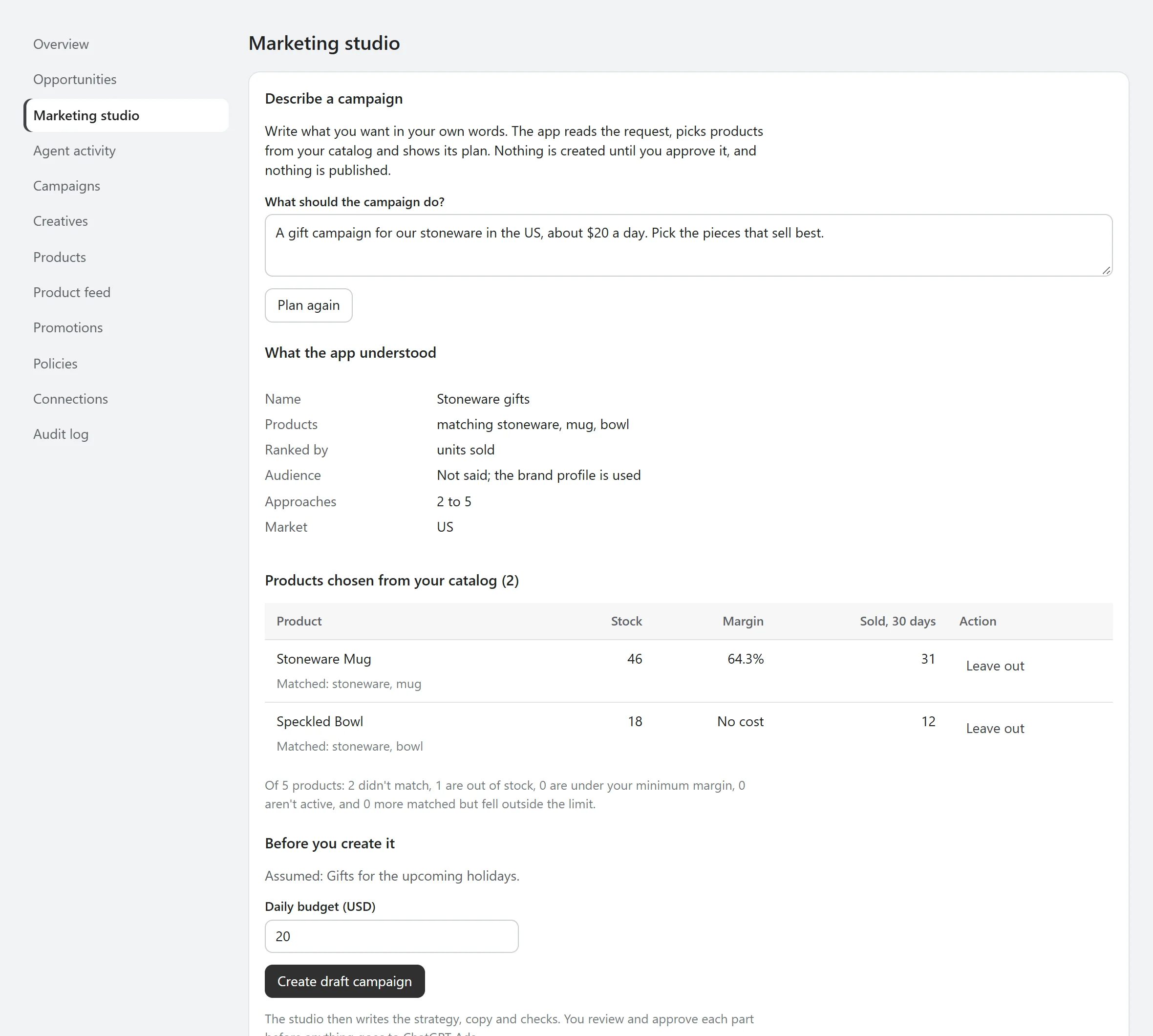
- Look at the products picking up in Opportunities, price a discount, and describe a campaign in Marketing studio or build it step by step.
- The app
- Drafts strategy and copy from your product facts, then runs pre-launch checks.
- Result
- A reviewed draft ready to publish. You start campaigns yourself in Ads Manager.
Stage 7
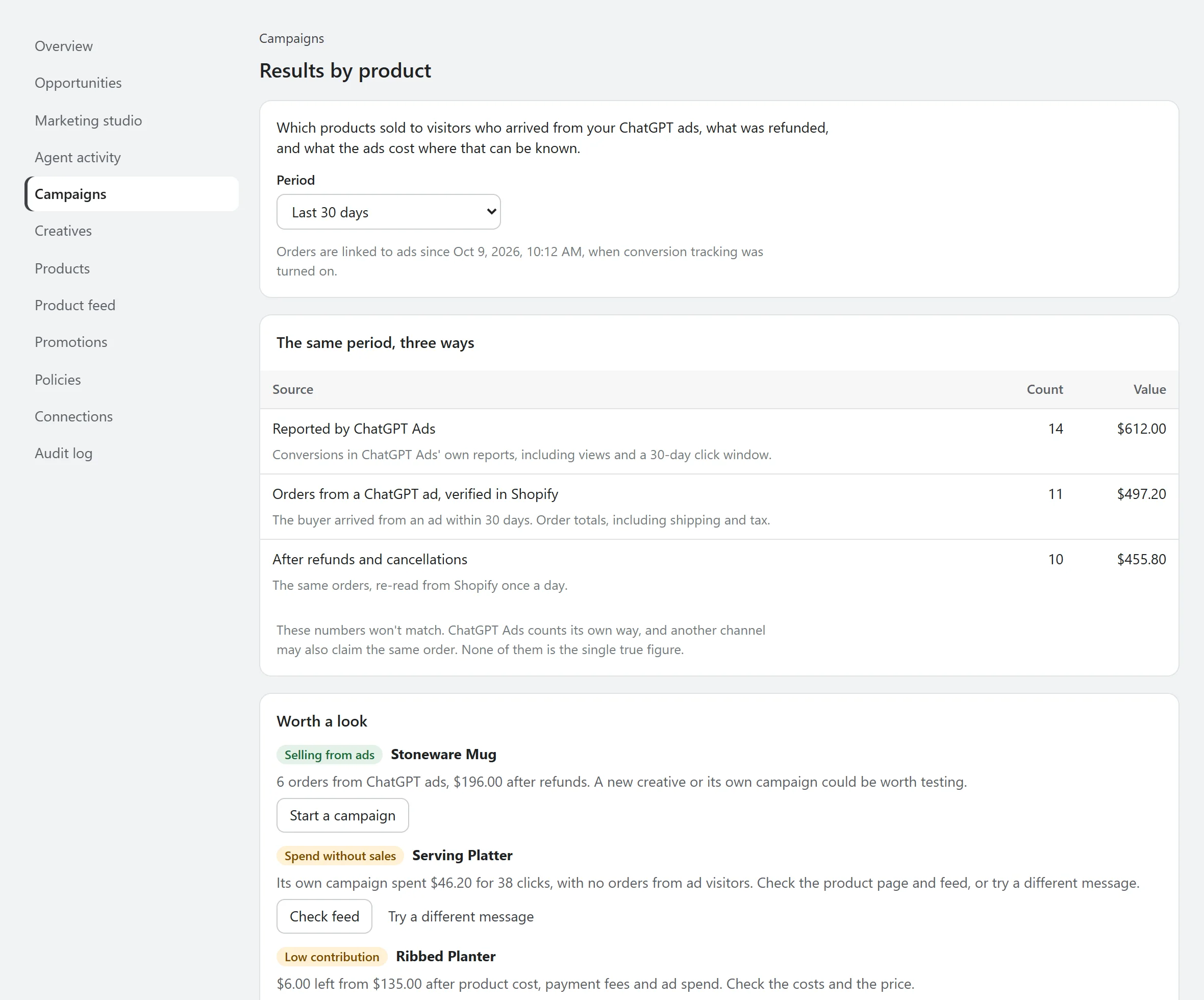
See what sold
- You
- Open Results by product, Creatives and Spend and sales over time.
- The app
- Keeps the platform's count, the orders Shopify confirms and the net after refunds apart, and scores each ad against the others in its campaign.
- Result
- Your next campaign starts from what really sold, not from the platform's count alone.
Stage 8
Decide how far it goes
- You
- Stay in shadow mode, require approval, or allow limited automatic changes on Growth and Pro.
- The app
- In limited automatic mode, applies low-risk decreases and pauses within your daily allowance. Everything else waits for you.
- Result
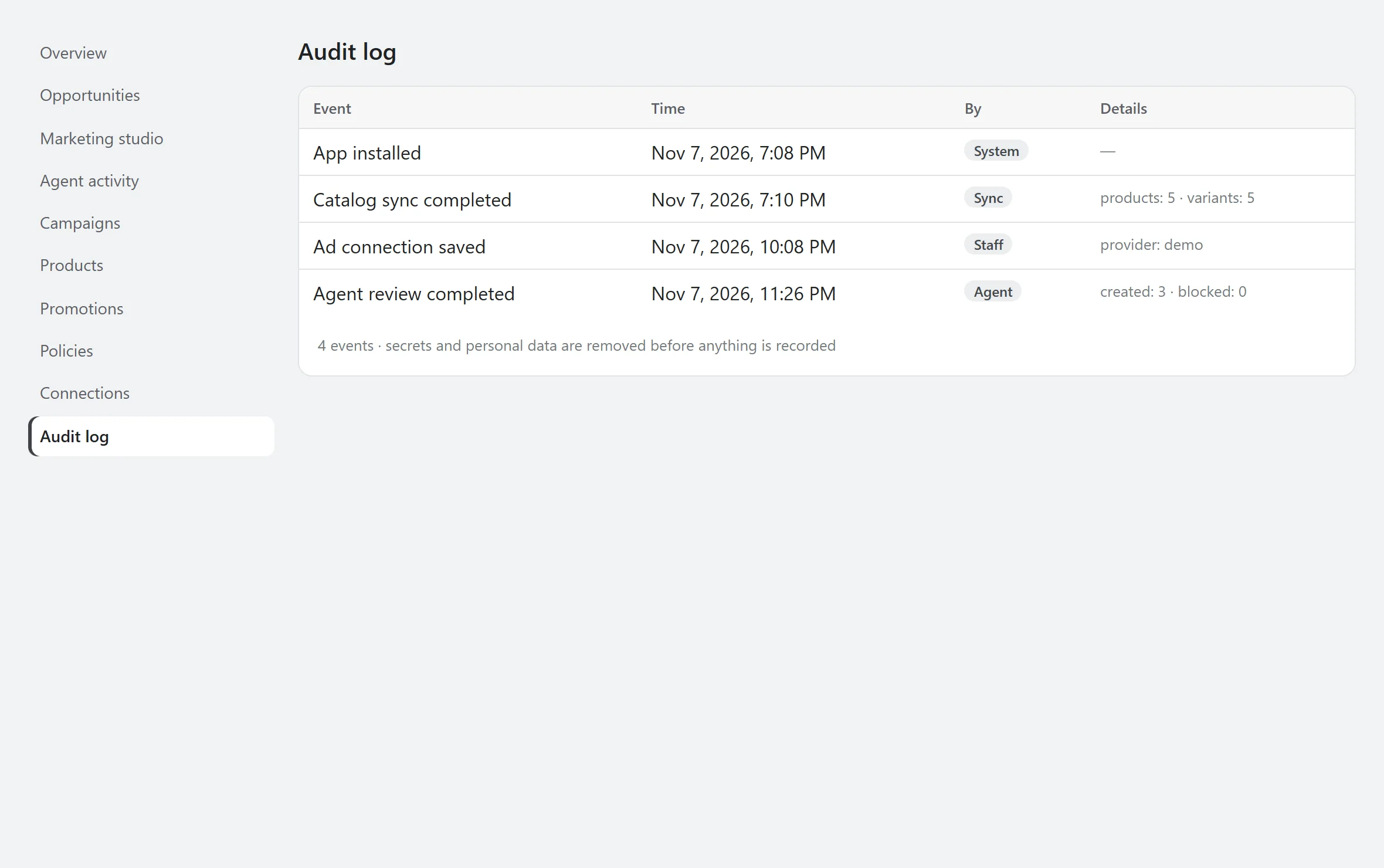
- Every step in the audit log, and one switch that pauses all changes.
See what it would do before it does anything.
AgenAds isn't on the Shopify App Store yet. The demo runs the app's real discount, policy and copy checks, so you can test the logic today.