
Know what a discount costs before you run it
A sale that lifts revenue can still leave you with less. The simulator shows what each discount level does to your contribution, using your real costs.
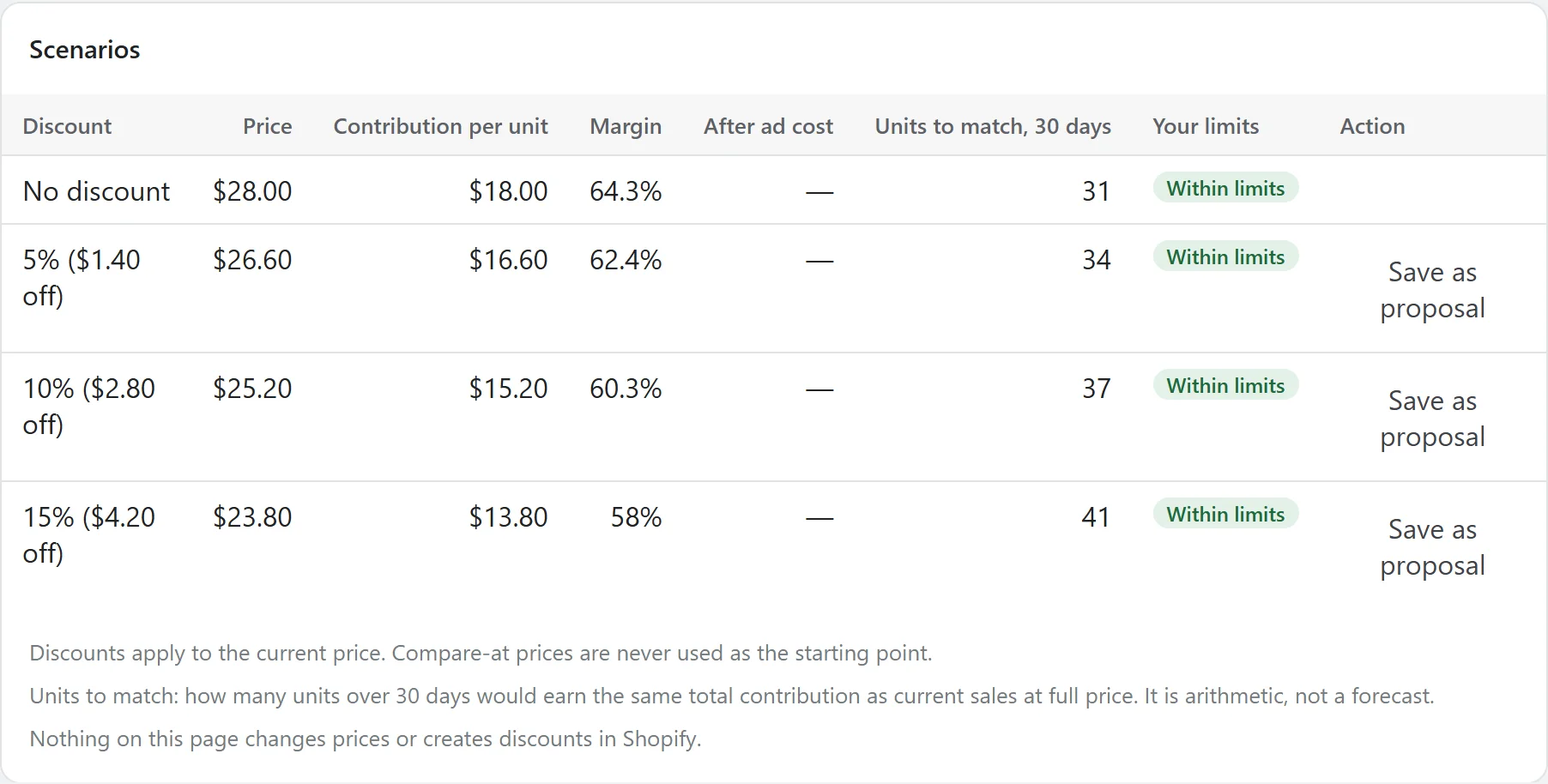
The situation
Sale season arrives and 20% off feels like the safe, familiar choice. Few stores work out what that 20% does to each unit once product cost and fees are counted.
The harder question is how many more units you'd need to sell to come out even. That number is simple arithmetic, but nobody does it by hand for every product.
What each scenario shows
| Price after discount | Always worked out from the current price, never from a compare-at price. |
|---|---|
| Contribution per unit | Price minus unit cost and any fees you've entered. |
| Margin | Contribution as a share of the discounted price. |
| After ad cost | Contribution minus your estimate of ad spend per order, if you give one. |
| Units to match | Units over 30 days that earn the same total as current sales at full price. |
| Your limits | Whether the scenario fits your maximum discount, minimum margin and minimum stock. |
How to start
- Add unit costs in Shopify, on the Products page or with a CSV.
- Set a maximum discount and a minimum margin.
- Run scenarios for the products you're considering.
- Save the one you prefer as a proposal, then create the discount in Shopify yourself.
The simulator is on every plan, including Starter. See pricing
See what it would do before it does anything.
AgenAds isn't on the Shopify App Store yet. The demo runs the app's real discount, policy and copy checks, so you can test the logic today.